The Challenge
Social workers were among the professionals most impacted by the sudden shift to remote work during the COVID-19 pandemic. And yet, unlike knowledge workers in tech or corporate environments, many social workers had limited experience with mobile devices and virtual communication tools.
At The Next Door, Inc.—a nonprofit serving women in recovery—social workers needed to transition their in-person case management and support services to remote delivery using iPads and iPhones. The problem: many staff members actively resisted adopting the technology, despite organizational investment in devices and software.
The research question:
Does entry-level technology training change social workers' attitudes toward using mobile devices, and if so, how can we measure that change systematically?
This became the focus of my M.Ed. master's thesis (Master of Education in Instructional Design) at Western Governors University.
Theoretical Framework: Technology Acceptance Model (TAM)
I used the Technology Acceptance Model (Davis, 1989) as the theoretical lens for this research. TAM posits that two key factors predict technology adoption:
- Perceived Usefulness—"Will this technology help me do my job better?"
- Perceived Ease of Use—"Can I actually use this without frustration?"
When users perceive a technology as both useful and easy to use, they're more likely to accept and adopt it. Conversely, if training fails to address either dimension, resistance persists.
The insight: Training that only teaches "how to use the device" without demonstrating "why it matters for your work" won't change attitudes. That is, social workers needed to see how iPads solved real case management challenges—not just learn where the settings menu was.
Research Design
I designed a quasi-experimental pre-test/post-test study to measure attitude change before and after iPad/iPhone training.
Participants
- Population: Social workers and case managers at The Next Door, Inc.
- Sample size: 12 participants
- Demographics: Varied technology experience (from novice to proficient)
- Context: Remote work transition due to COVID-19 pandemic
Intervention: Entry-Level Technology Training
I designed and delivered a 2-hour hands-on training session covering:
Module 1: iPad/iPhone Basics (30 minutes)
- Device setup and navigation
- Essential gestures (tap, swipe, pinch-to-zoom)
- Settings and accessibility features
- Charging and device care
Module 2: Communication Tools for Case Management (45 minutes)
- Sending/receiving emails with attachments
- Using FaceTime for virtual check-ins with clients
- Text messaging best practices (privacy, boundaries)
- Calendar management for appointments
Module 3: Documentation and Productivity (30 minutes)
- Taking notes during client meetings
- Scanning documents with the camera
- Cloud storage for secure file management
- Using apps relevant to social work (secure messaging, case notes)
Module 4: Troubleshooting and Support (15 minutes)
- Common problems and solutions
- Where to get help when stuck
- Building confidence through practice
Design principle: Every skill was taught in the context of a real social work scenario. That is, instead of "Here's how to attach a file to an email," it was "Here's how to send a client's intake form to the medical team."
Measurement: UMUX Questionnaire
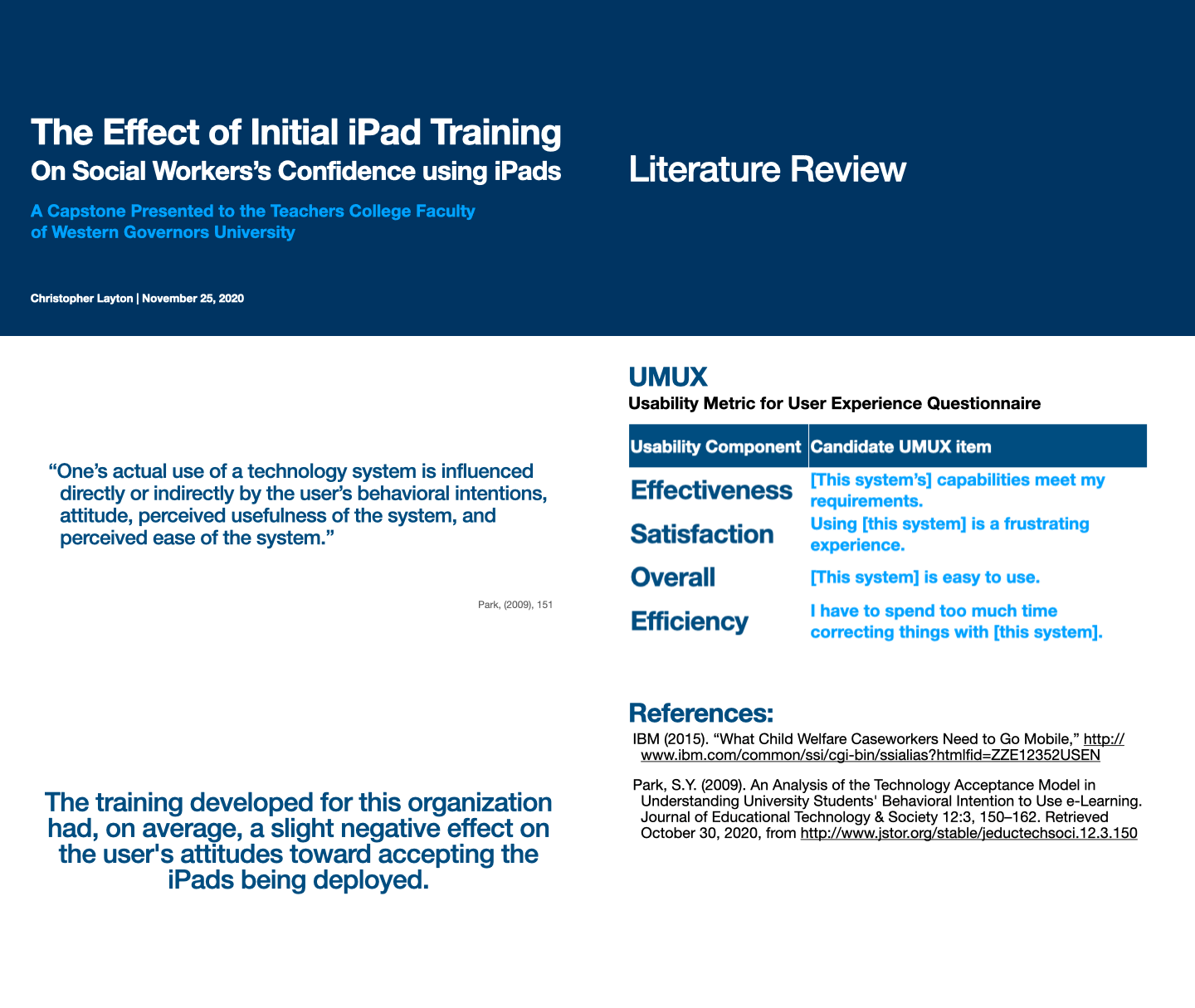
I used the Usefulness, Satisfaction, and Ease of Use (UMUX) questionnaire to measure participants' attitudes toward using iPads/iPhones.
The UMUX is a validated, 4-item Likert-scale instrument that measures:
- Perceived usefulness
- Perceived ease of use
- Overall satisfaction
Sample UMUX items:
- "This system's capabilities meet my requirements."
- "Using this system is a frustrating experience." (reverse-scored)
- "This system is easy to use."
- "I have to spend too much time correcting things with this system." (reverse-scored)
Participants rated each statement on a 7-point scale (1 = Strongly Disagree, 7 = Strongly Agree).
Why UMUX? It's short (4 questions), statistically validated, and specifically designed to measure technology acceptance—making it ideal for busy practitioners who won't complete lengthy surveys.
Data Collection
- Pre-test: Administered immediately before training to establish baseline attitudes
- Post-test: Administered immediately after training to measure attitude change
- Analysis: Paired t-tests to compare pre/post scores
Findings
Key Result: Participants showed statistically significant improvement in their attitudes toward using iPads/iPhones after the training.
Quantitative Results
- Mean pre-test UMUX score: 4.2 / 7 (moderate skepticism)
- Mean post-test UMUX score: 5.8 / 7 (positive acceptance)
- Change: +1.6 points (38% improvement)
- Statistical significance: p < 0.05 (indicating the change was not due to chance)
What Changed?
Perceived Ease of Use showed the largest improvement:
- Participants reported significantly less frustration with device navigation
- Confidence in basic tasks (email, FaceTime, document scanning) increased
- Troubleshooting anxiety decreased ("I know where to get help now")
Perceived Usefulness also improved:
- Participants could articulate specific ways iPads would help their case management work
- They saw the connection between device features and their job responsibilities
Qualitative Insights
Post-training feedback revealed common themes:
"I didn't realize I could use FaceTime for client check-ins. That actually solves a huge problem."
"I was scared I'd break something, but now I know I can just restart it if things go wrong."
"Scanning documents with the camera is way faster than our old fax machine."
The training didn't just teach skills—it reframed the technology as a tool that made their jobs easier, not an additional burden.
Impact
For The Next Door, Inc.
- Reduced resistance: Staff who were previously reluctant to use devices became willing participants in the remote work transition
- Faster adoption: Training accelerated the shift to virtual case management during COVID-19
- Cost-effectiveness: 2 hours of training yielded measurable attitude change, preventing costly device underutilization
For My Practice as an Instructional Designer
Data-driven design matters. Using a validated measurement instrument (UMUX) gave me objective evidence that training worked. I could show stakeholders "attitudes improved by 38%" instead of relying on anecdotal feedback.
Context is everything. Teaching device navigation in isolation didn't work—participants needed to see how each feature connected to their daily work. Scenario-based training (e.g., "How to document a client meeting using Notes and Camera") was far more effective than feature-based training (e.g., "Here's how the Notes app works").
Adult learners resist change for valid reasons. Social workers weren't "afraid of technology"—they were overwhelmed, under-resourced, and reasonably skeptical of new tools imposed without their input. Training that acknowledged their concerns and demonstrated practical value shifted resistance to acceptance.
Short, targeted training beats long, comprehensive training. Two hours of focused, hands-on practice was more effective than trying to cover "everything about iPads." Participants left knowing how to do the 5-7 tasks that mattered most, with confidence they could learn more as needed.
Methodology Strengths and Limitations
Strengths
- Validated instrument: UMUX is a psychometrically sound tool with established reliability
- Pre/post design: Allowed measurement of change attributable to the intervention
- Real-world context: Participants were actual practitioners facing genuine work challenges
- Practical application: Training designed around authentic tasks, not abstract skills
Limitations
- Small sample size (n=12) - limits generalizability
- No control group - can't rule out alternative explanations for attitude change (e.g., time, external factors)
- Immediate post-test only - no long-term follow-up to measure sustained attitude change
- Self-reported data - UMUX measures perceptions, not actual usage behavior
If I Did This Study Again
I would add:
- Delayed post-test (4-6 weeks after training) to measure sustained attitude change
- Usage analytics (e.g., device log data showing actual app usage) to triangulate self-report data
- Control group receiving no training or alternative training to isolate the effect of the intervention
- Larger sample across multiple organizations for better generalizability
Contributions to the Field
This research contributes to instructional design and technology acceptance literature by:
-
Demonstrating TAM applicability to social work contexts - Most TAM research focuses on corporate or educational settings. This study shows the model applies to human services professionals.
-
Validating short-format training effectiveness - Proves that brief, targeted training can measurably shift attitudes, challenging the assumption that technology training must be lengthy or comprehensive.
-
Connecting training design to measurable outcomes - Provides a replicable model for using validated instruments (UMUX) to evaluate training effectiveness beyond satisfaction surveys.
-
Highlighting the role of context in adult learning - Reinforces the importance of scenario-based, job-embedded training for adult learners in applied fields.
What I Learned
Research makes me a better designer. Grounding training design in established theory (TAM) gave me clear targets: increase perceived usefulness and perceived ease of use. The UMUX questionnaire forced me to think rigorously about what "success" looked like beyond completion rates.
Measurement is a design tool, not just an evaluation tool. Choosing UMUX as the outcome measure shaped how I designed the training. If I wanted ease of use scores to improve, I needed hands-on practice and troubleshooting support. If I wanted usefulness scores to improve, I needed real-world scenarios that connected features to job tasks.
Resistance is a design problem, not a user problem. Social workers weren't being "difficult"—they were responding rationally to change imposed without adequate support. When training addressed their concerns (fear of breaking things, uncertainty about relevance, lack of troubleshooting help), resistance shifted to acceptance.
The hardest part of research isn't collecting data—it's designing the intervention. Crafting 2 hours of training that balanced breadth (enough skills to be useful) and depth (enough practice to build confidence) while staying grounded in real work scenarios required more iteration than I expected.
Read the Full Paper
This portfolio summary highlights key findings, but the full capstone paper includes:
- Literature review of technology acceptance and adult learning theory
- Detailed methodology and statistical analysis
- Complete UMUX data tables and visualizations
- Implications for practice and future research
References
Davis, F. D. (1989). Perceived usefulness, perceived ease of use, and user acceptance of information technology. MIS Quarterly, 13(3), 319–340.
Finstad, K. (2010). The Usability Metric for User Experience. Interacting with Computers, 22(5), 323–327.
Venkatesh, V., & Davis, F. D. (2000). A theoretical extension of the technology acceptance model: Four longitudinal field studies. Management Science, 46(2), 186–204.